FRT Tool v1.7.5 Free Download Latest Version 2027
FRT Tool v1.7.5 Download for Windows New
The FRT Tool (short for Flash Repair Tool), version 1.7.5, is a utility used for maintaining Android devices. According to its documentation, its functions include tasks related to firmware, extracting device information, and performing specific reset operations. Therefore, please verify your phone model and its specific requirements before preparing the necessary drivers or selecting the desired maintenance options.
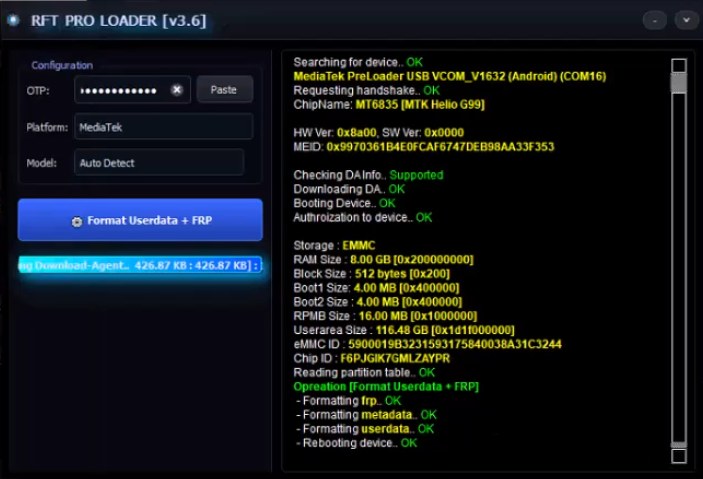
What is the FRT Tool?
FRT Tool is also known as Flash Repair Tool. It is a Windows-based Android servicing tool. It is developed for mobile repair technicians and users. It helps perform different software-related operations on MediaTek and Qualcomm chipsets. The tool provides options for reading device information, performing factory and hard resets, handling supported FRP issues, flashing firmware, and managing selected device partitions. It also includes firmware extraction and RPMB management functions for supported devices.
Key features of the FRT Tool
FRP Reset
It includes an FRP reset function for supported Android devices. It helps users and technicians address Factory Reset Protection issues.
Factory Reset & Hard Reset
The tool provides factory reset and hard reset options for compatible smartphones. These functions can help resolve certain software issues and restore supported devices. Resetting a device may erase personal data.
MTK Read Crypto Key
FRT Tool includes an MTK Read Crypto Key function for supported MediaTek smartphones. This feature provides additional servicing capabilities for compatible devices and chipset configurations.
OFP Firmware Extraction
The Tool provides Qualcomm and MediaTek OFP firmware extraction options. These functions help technicians extract supported firmware packages for further servicing.
RPMB Operations
The tool includes selected RPMB management functions, such as backup, writing, and erasing supported RPMB data. These are advanced operations that require proper device compatibility.
What’s new in the FRT Tool?
- Updated Android servicing functions
- MediaTek Read Crypto Key support
- Qualcomm OFP firmware extraction
- MediaTek OFP firmware extraction
- Added Super IMG and Super Meta packing options
- Expanded firmware backup and flashing functions
- Advanced partition management options
- Additional IMEI and device information services
- Factory reset, hard reset, and FRP servicing options
System Requirements
| Requirement | Details |
| Operating System | Windows 7 / 10 / 11 |
| Architecture | 64-bit recommended |
| RAM | 4 GB minimum |
| Recommended RAM | 8 GB |
| Storage | 1–2 GB free space |
| Processor | Intel / AMD Dual-Core or better |
| USB Connection | Required |
| Drivers | Compatible Android USB drivers |
| Internet Connection | Required for online functions, if applicable |
How to Download & Install the FRT Tool?
- Download the FRT Tool from a trusted source.
- Click on the download link.
- Wait until the download is complete.
- Extract all files to your Desktop.
- Open the extracted folder.
- Enable USB debugging when using ADB functions.
- Open the tool that is downloaded.
- Run the tool as an administrator.
- The tool will open on your PC screen.
- Enjoy using the tool.
Conclusion
FRT Tool is a multi-functional Android servicing tool. It provides various repair and maintenance options for supported MediaTek and Qualcomm smartphones. It includes features such as FRP reset, factory reset, hard reset, firmware flashing, device information reading, OFP extraction, and RPMB management. Overall, it offers several Android servicing functions in one Windows application.
Download Official Link👇