MTK PRO Tool V54 Free Download Latest 2027
MTK PRO Tool V54 Free Download
The MTK PRO Tool v54 is designed for smartphones powered by MediaTek (MTK) processors. There is no paid version of this software; it is completely free to use. Nowadays, almost everyone owns an Android device, and software-related issues frequently arise on these devices.
Although we often turn to mobile phone repair services—where addressing software issues can be quite costly—the truth is that these problems can be resolved from home. However, you will need a computer (either a laptop or a desktop) to install and use the “MTK PRO Tool.”
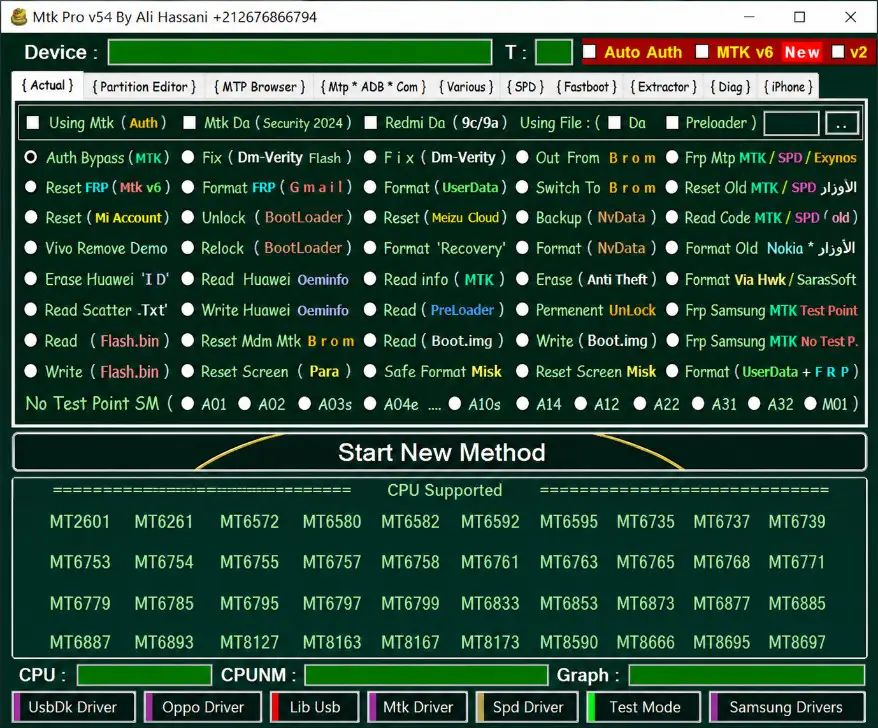
What can the MTK PRO Tool do?
Below is a list of the mobile issues that can be resolved using the MTK PRO Tool V54 software:
- Auth Bypass (MTK)
- Fix (Dm-Verity Flash)
- Fix (Dm-Verity)
- Out From Brom
- FRP MTP MTK / SPD / Exynos
- Reset FRP (MTK v6)
- Format FRP (Gmail)
- Format (UserData)
- Switch To Brom
- Reset Old MTK / SPD
- Reset (Mi Account)
- Unlock (BootLoader)
- Reset (Meizu Cloud)
- Backup (NvData)
- Read Code MTK / SPD (Old)
- Vivo Remove Demo
- Relock (BootLoader)
- Format Recovery
- Format (NvData)
- Format Old Nokia
- Erase Huawei ID
- Read Huawei Oeminfo
- Read Info (MTK)
- Erase (Anti Theft)
- Format Via HWK / SarasSoft
- Read Scatter.txt
- Write Huawei Oeminfo
- Read (Preloader)
- Permanent Unlock
- FRP Samsung MTK Test Point
- Read (Flash.bin)
- Reset MDM MTK Brom
- Read (Boot.img)
- Write (Boot.img)
- FRP Samsung MTK No Test Point
- Write (Flash.bin)
- Reset Screen (Para)
- Safe Format Misk
- Reset Screen Misk
- Format (UserData + FRP)
Supported Mobile Brands
Here are the mobile brands supported by the latest version of MTK PRO Tool V54:
- Xiaomi
- Redmi
- POCO
- Vivo
- OPPO
- Realme
- Infinix
- TECNO
- itel
- Lava
- Micromax
- Nokia (MTK Models)
- Lenovo
- Motorola (MTK Models)
- Huawei (MTK Models)
- Meizu
How to install the setup?
Installing the MTK PRO Tool setup is very easy. First, you need to download the tool’s setup file.
- Next, extract the setup from the zip file.
- If the zip file is password-protected, use the following password:
- Now, double-click the setup file and select the install option.
- Grant the necessary permissions to proceed, and the installation will complete successfully.
- You can now use the MTK PRO Tool.
Download Official Link👇