PowerToolAuth Tool Free Download 2027 Updated
PowerToolAuth Free Download With Login Not tested yet
PowerToolAuth is a tool for Windows PC that helps repair shops remove FRP locks from Xiaomi phones. It works in sideload mode, which is very safe. Normally, you have to pay for tools like this. But right now, there is a special bug.
Hello, friends! Today, we’re sharing a special method for all Xiaomi phone users: a tool called “PowerToolAuth” that can help you bypass the Factory Reset Protection (FRP) lock.
Best of all, there’s currently a simple trick: an auxiliary program called “loginer” allows you to sign in to the main tool using any password you choose. This means you can use the tool for free to try and bypass the FRP lock.
Since this relies on a software vulnerability, the developer might patch it soon—so be sure to take advantage of this simple method while you still can!
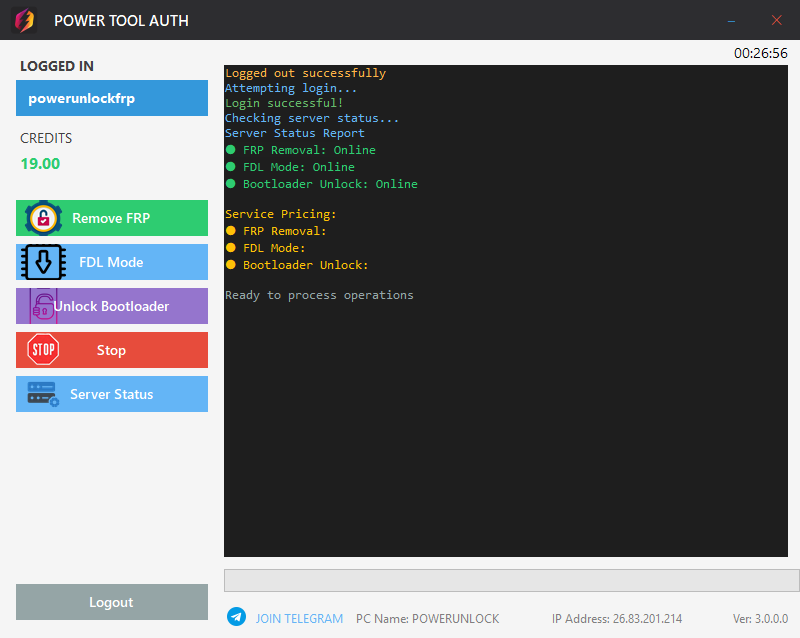
How to Login and Remove FRP (Step-by-Step)
Please follow these steps very carefully.
- First, you need to download the RAR file which has the tool inside.
- After you download, you can extract the RAR file, or you can run the program directly from the RAR file. Find the program named
loginerand run it first. - After you run the loginer, now open the main tool. The name is
PowerToolAuth. This is very important: you must run this tool with admin permission. Right-click on thePowerToolAuthfile and choose “Run as administrator”. - Now, take your Xiaomi phone. You must put it into sideload mode. After it is in sideload mode, connect it to your computer with a USB cable.
- Now check your phone! If the FRP lock is gone, then it is working. Great! You can use this trick until the developer fixes this bug.
Download Official Link👇