FlexUnlock Tool V1.2.29 Latest Version – Free 2027
FlexUnlock Tool v1.2.29 Update Fix With Login Lifetime Free Download
FlexUnlock Tool is a powerful, user-friendly designed specifically for mobile device repair.
It allows users to unlock phones, remove Factory Reset Protection (FRP), resolve Mobile Device Management (MDM) lock issues, and manage various Android devices—all from a single platform.
The tool is widely popular due to its compatibility with numerous brands, including Samsung, Xiaomi, Motorola, Nokia, Huawei, and Pixel.
It is easy to use, operates quickly, and does not require advanced technical knowledge.
The latest update, version 1.2.17.00, introduces notable improvements, enhanced stability, and support for Samsung and Pixel devices.
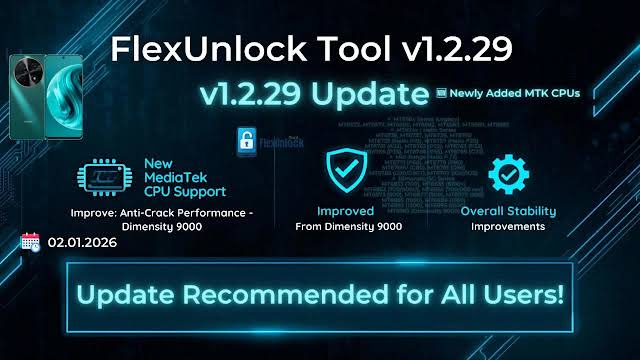
What Is FlexUnlock Tool Used For?
FlexUnlock Tool is mainly used to:
- Remove FRP lock
- Bypass MDM / IT Admin
- Unlock bootloader
- Read phone information
- Flash firmware
- Fix common Android issues
- Work with Samsung, Xiaomi, Pixel, Nokia, Motorola, and more
It works through:
- ADB
- Fastboot
- MTP
- Server-based system
Main Features of FlexUnlock Tool
Samsung Features
- FRP remove (ADB & MTP)
- KG bypass (2022, 2023, 2024)
- IT Admin bypass
- CSC change
- Odin flash (AP, BL, CP, CSC)
- Read & write PIT
- Boot update & EFS clear
- QR code unlock (Android 9–14+)
Motorola Features
- Read device info
- QCN read/write
- MDM unlock (QLC & MTK)
- Bootloader unlock / lock
Huawei Features
- Reboot to bootloader
- Reboot to eRecovery
- FRP remove (Fastboot)
- Bootloader unlock / lock
- Load dload firmware
Xiaomi Features
- Read phone info
- Bootloader unlock
- BL to EDL
- MI account remove
- Create critical data files
- Server-based functions
Nokia Features
- Read info
- MDM bypass (2023–2025)
- IT Admin remove
- Bootloader unlock / lock
General Features
- BIN / IMG / Proinfo editor
- MTK support (Tecno, Infinix, Itel)
- Transsion MDM remove
- Pixel FRP remove
- File request system
- Stable server connection
FlexUnlock Tool v1.2.17.00 – Latest Changelog (Nov 5, 2025)
NEW: Samsung MDM / KG Bypass (FREE)
- Supports Knox 3.0 to 3.5
- Supports Android 10 to Android 15
- Supports One UI 3 to One UI 6
- Works on latest Galaxy S, Note, and A series
- Fast and stable
- No credits required
Pixel FRP Improved
- Supports Pixel 4 to Pixel 8
- Added support for Pixel Fold & Pixel Tablet
- Full support for Android 11 to Android 15
- Partial support for Android 7 to Android 10
- Higher success rate than older versions
General Performance Improvements
- Faster device detection
- More stable working
- Less crashes and errors
- Better performance on Windows 10
- Smooth tool opening and usage
This update has also been confirmed by many users on community and social platforms.
Previous Version Highlights
v1.2.140
- Xiaomi critical data creation
- IMEI & MAC editing
- Faster server communication
- Improved UI
v1.2.130
- Samsung premium file request
- Xiaomi FRP free in sideload
- Better server speed
v1.2.120
- Tecno / Infinix / Itel support
- MDM removal
- Fixed Pixel and Xiaomi issues
How to Install & Use FlexUnlock Tool
Step 1: Download
Download FlexUnlock Tool and required files.
Step 2: Extract Files
Extract all files to a folder on your desktop.
Step 3: Install Tool
Right-click setup → Run as Administrator
Install all required components.
Step 4: Open Tool
Launch FlexUnlock Tool normally.
Step 5: Login
Login using your valid credentials.
After login, the tool opens fully.
Browse Reference
- No repeated login
- No update popup
- Smooth working
- Lifetime access setup
Why People Like FlexUnlock Tool
- Very easy to use
- Supports many brands
- Works fast
- Stable on Windows 10
- No complex steps
- Regular updates
- Trusted by technicians
Download Official Link👇